

Build Agility sites with your AI coding tools
Connect Claude Code, Cursor, GitHub Copilot or Windsurf to Agility. Your agent reads and creates content models, scaffolds components and checks our docs instead of guessing, all through two MCP servers.
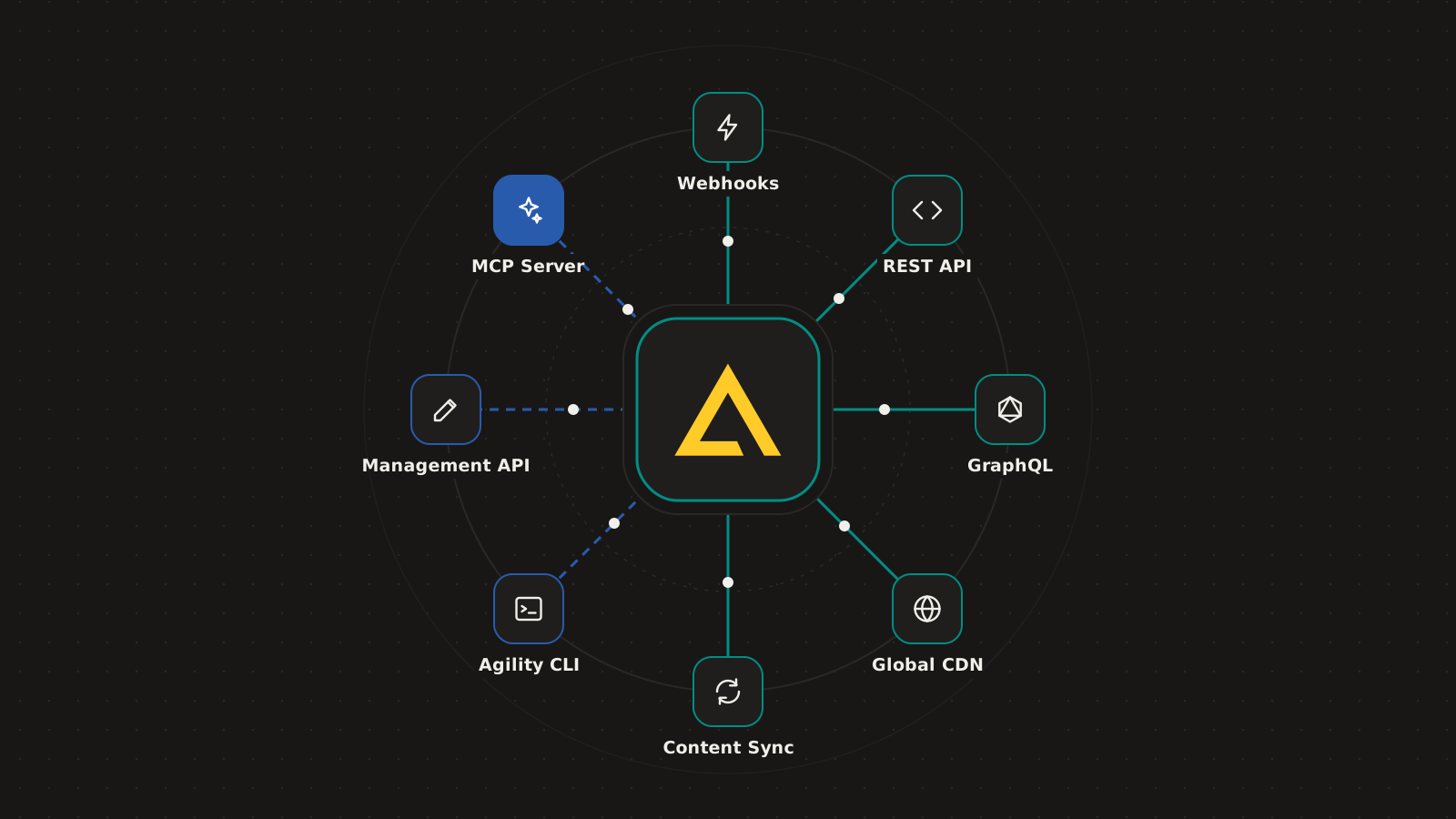
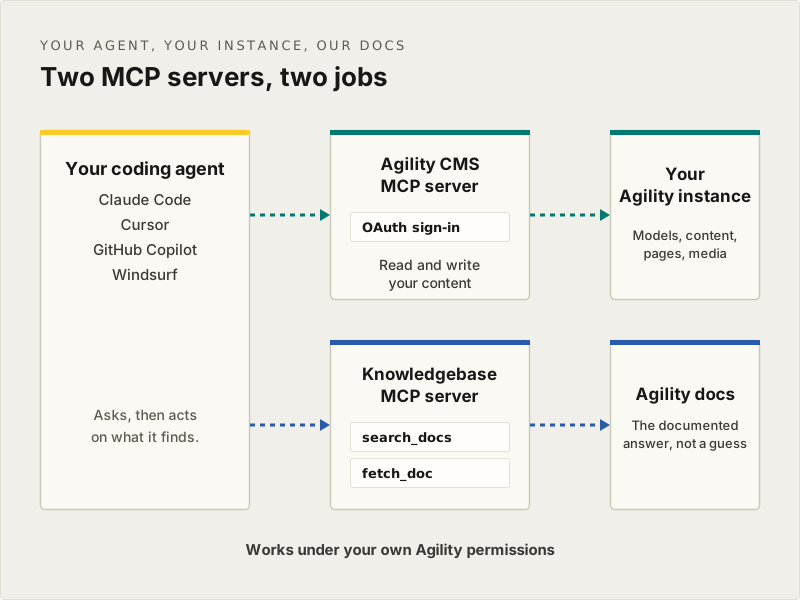
Two MCP servers, two jobs
The Agility CMS MCP server has all the tools you need for working with your content, pages and models, and your agent connects to it over OAuth. The Knowledgebase MCP server lets it search our docs, so it uses the documented answer, not a guess.
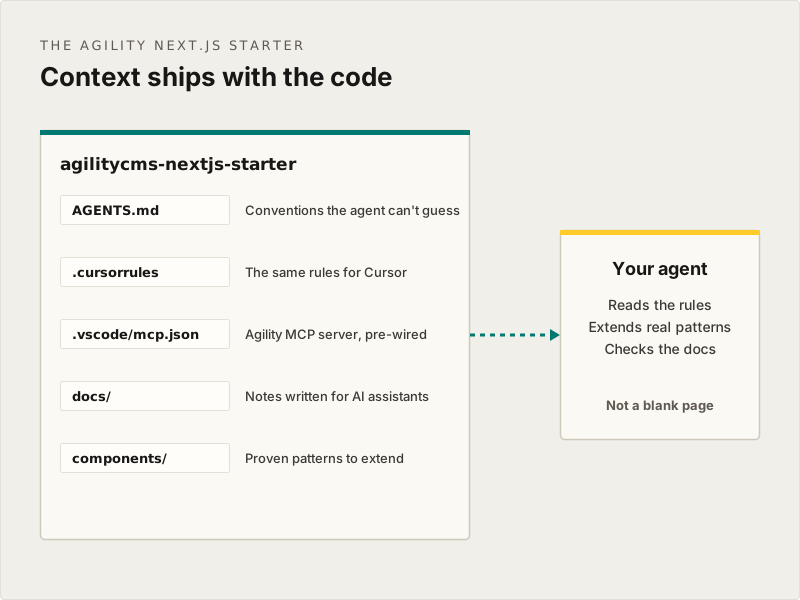
Start from a starter, not a blank page
The Agility Next.js starter ships with an AGENTS.md, a .cursorrules file and MCP config already in place, so your agent extends proven patterns instead of inventing its own.
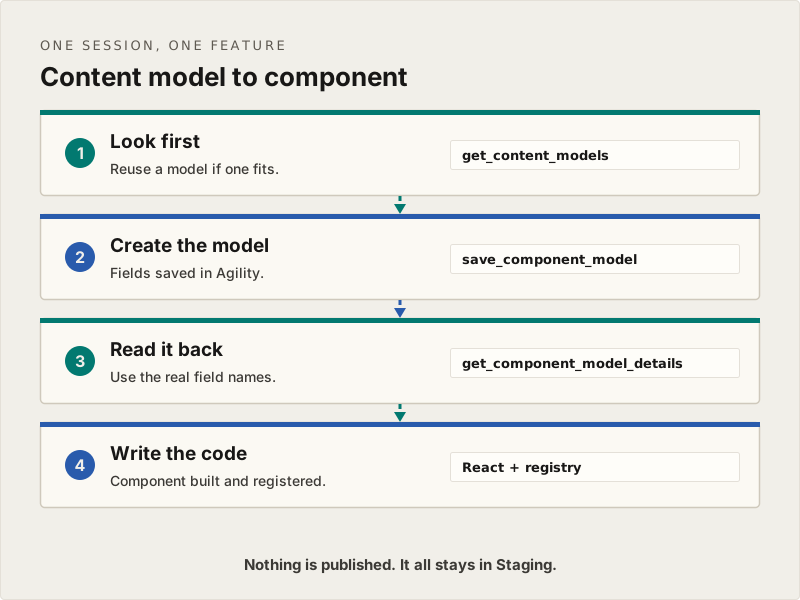
From content model to component in one session
Ask for a whole feature: the content model in Agility, the React component and the registration. Your agent checks what already exists, creates the models, reads them back for the real field names, then writes the code.
Your permissions. Your publishing rules.
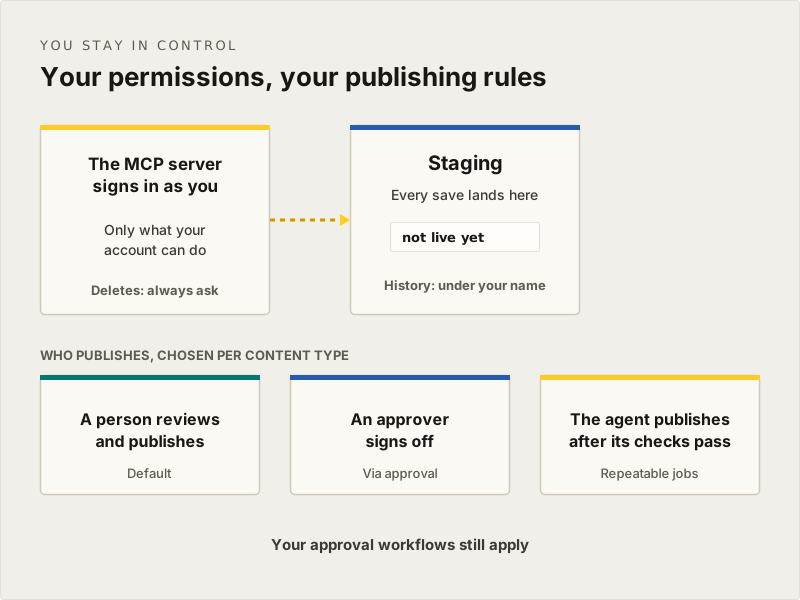
The MCP server signs in as you and only does what your account can. Saves land in Staging, and you choose per content type whether a person reviews, an approver signs off, or the agent publishes once its checks pass. Deletes always need confirmation.
Questions developers ask about building with AI
Can I build with Claude Code, Cursor, or Copilot?
Yes. Our MCP server connects Claude, GitHub Copilot, Cursor, and Windsurf over OAuth 2.0, so your AI tools can read and work with your content model while you code.
How do I connect the Agility MCP server?
In Claude Code, run claude mcp add --transport http "Agility-CMS" https://mcp.agilitycms.com/api/mcp. For VS Code, Cursor and other tools, there are one-click installs at mcp.agilitycms.com/instructions. Sign in with your Agility account the first time and you're connected.
Does the MCP server need API keys?
No. It uses OAuth 2.0 with short-lived tokens, so you sign in with your normal Agility login and it only does what your account can. No passwords are stored.
What's the Agility Knowledgebase MCP server?
A free, read-only MCP server over our docs. Add it alongside the Agility CMS MCP server so your agent can search and read the documentation while it builds, instead of guessing.
Do you have a Next.js starter?
Yes. Clone our Next.js starter and you're running in minutes. We also have starters for Nuxt, Gatsby, and Astro, plus JavaScript and .NET SDKs.
Do you use AI on my data?
We don't use your content to train AI models. AI features run through our MCP server with your own tools, or through opt-in integrations such as DeepL translation.
Building something with AI? Show us.
Tell us what you're building and we'll walk through the setup with you on a call.