


Commercetools
Browse and search your commercetools catalog from inside Agility and attach a product to any content item, with its image, SKU, price and variants shown right in the field.
- E-commerce
Pick the product, not a pasted ID
Editors who need to feature a product shouldn't be copying SKUs out of the Merchant Center. The commercetools app lets them find the product in your catalog and attach it to the content they're writing.
What you can do
- Browse the catalog: open a product selector in Agility, with infinite scroll for large catalogs.
- Search by name: uses the commercetools Product Projection Search API. It needs to be enabled in your project.
- See the details: the field shows the image, name, SKU, price when available, number of variants and categories.
- Jump to the source: the SKU links to the product in the Merchant Center.
- Product data on the item: the selection is stored as JSON that your front end parses.
Who it's for
Commerce and content teams who run commercetools and want editors to build product-led pages themselves. Developers keep credentials on the server and fetch full details by product ID.
Setup takes a read-only API client and a few project details. The docs cover them, plus troubleshooting.
Get started
- Create an API client In the commercetools Merchant Center, create an API client with the View products scope and save the credentials.
- Note your region and locale Find your region in your Merchant Center URL and choose the locale your products are published in.
- Install the app Open Settings → Apps in Agility, install the app and enter project key, client ID, client secret, region and locale.
- Add the field Add the commercetools Product field to a content or component model.
- Select a product On a content item, click Browse Products and choose one.
Setting it up
Screenshots
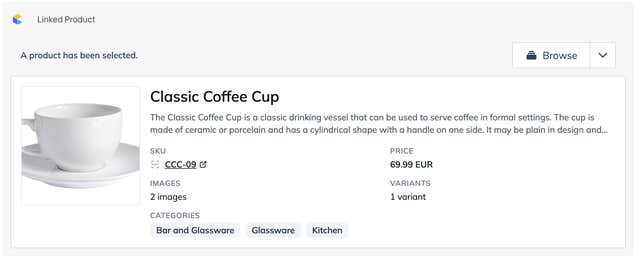
Product Field
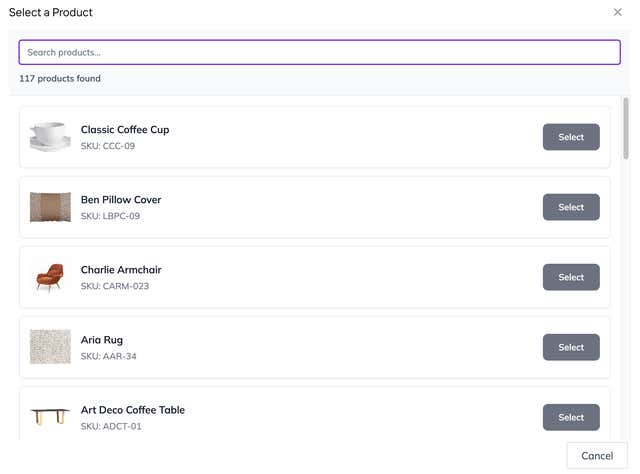
Product Selection
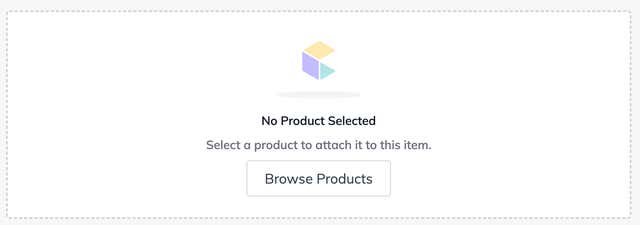
Empty Field