What is your developer-dependent CMS actually costing you? Calculate your costs and get a full report


APIs
GraphQL API
Request your Agility CMS content using GraphQL: endpoints, authentication, what's in the schema, filtering, caching, and when to use GraphQL instead of the Fetch API.
Every Agility instance has a GraphQL API alongside the REST Content Fetch API. Its schema is generated from your content models, so each content list you create is immediately queryable, with a type for every field. It serves both published and staging (preview) content, in every locale.
Compared with the Content Fetch (REST) API, GraphQL gives you:
- Full control over which fields are returned
- Several queries in one request
- Linked content resolved inline, with filtering and sorting on related content
- A typed schema that tools can generate TypeScript types from
This article covers calling the Agility GraphQL API directly. For end-to-end TypeScript types in a Next.js site, see Typed GraphQL with TypeScript and Next.js.
What is GraphQL?
Created by Facebook in 2012 and open-sourced in 2015, GraphQL is a query language for APIs. The client describes exactly the data it needs, and the response has exactly that shape: no over- or under-fetching, and data from several sources in a single request.
This 30-second clip from our friends at Shopify shows the difference from a traditional REST API:
Why use GraphQL with Agility
- Ask for exactly the fields you need. A listing can request titles and URLs only, instead of whole items.
- One request for several lists. Fetch alerts, locations and site settings in a single round trip.
- Linked content in the same query. Request the fields of a linked item inline instead of making a second call.
- A typed contract. The schema describes every list and field, so a renamed or removed field can be caught at build time instead of in production.
- Any front end. It's plain HTTP and JSON: any language or framework, or a static page with
fetch.
Endpoint and authentication
POST https://api.aglty.io/v1/{instance-guid}/{fetch|preview}/{locale}/graphql
| Part | Value |
|---|---|
fetch / preview | fetch returns published content; preview returns the latest staging version |
{locale} | A locale code from your instance, such as en-us. Each locale has its own endpoint |
| Header | apikey: <your API key>. Use the Fetch key with fetch and the Preview key with preview |
Find your instance GUID and API keys in Settings > API Keys.
The GraphQL endpoint uses /v1/ and the apikey header; the REST Fetch API uses neither (https://api.aglty.io/{guid}/fetch/{locale}/... with an APIKey header). A request to a route that doesn't exist returns Invalid API type (must be fetch or preview), which means the URL is wrong, not the key.
const res = await fetch(`https://api.aglty.io/v1/${guid}/fetch/en-us/graphql`, {
  method: "POST",
  headers: { "Content-Type": "application/json", apikey: fetchApiKey },
  body: JSON.stringify({
    query: `{
      offices(take: 50, sort: "fields.city") {
        contentID
        fields { title city zip }
      }
    }`,
  }),
})
const { data, errors } = await res.json()
What's in the schema
| Root field | Returns |
|---|---|
One field per content list, named after the list's reference name in lower case (for example offices, newsreleases) | The list's items: contentID, properties (versionID, modified, state, itemOrder...), seo, and fields, with one typed field per model field |
ag_sitemapflat(channelName) | The flat sitemap: path, pageID, title, menuText, visible, redirecturl, isFolder |
ag_sitemapnested(channelName) | The nested sitemap |
ag_pages(pageID) | Pages: name, path, title, menuText, templateName, seo, visible, dynamic, properties and zones |
ag_urlredirections | URL redirections: originUrl, destinationUrl, statusCode |
Things to know:
- Fields are nullable. Every field in the generated schema is nullable, so handle
null(for example, an optional field left blank). - Page components are untyped. A page's
zonesreturn each component'smodulename and itsitem.fieldsasJSON. Content lists are fully typed; the fields of components placed on pages are not. For typed component data, read it with the Fetch API or query the content list it links to. - The schema follows your models. Add a field to a model and it appears in the schema. If you generate types from the schema, re-run the generator when models change.
Explore the GraphQL playground
Every instance has a GraphQL playground for trying queries. Go to Settings > API Keys and click Explore GraphQL API.
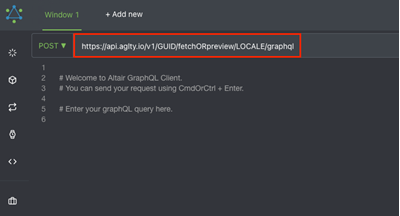
Update the endpoint URL with your locale and fetch or preview:
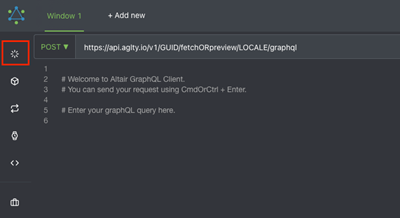
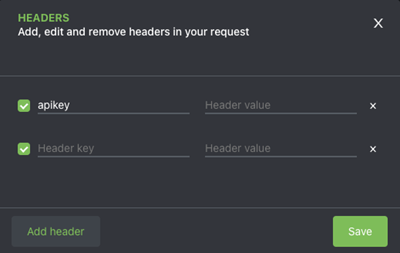
Then click Set Headers and add your API key as the apikey header. Use the Fetch key for published content and the Preview key for staging content:
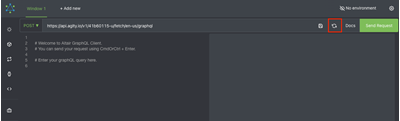
Click Save, then Reload to load the schema:
Open Docs and click Root to see everything you can query in your instance.
Paging, sorting and filtering
List fields take take, skip, sort, direction and filter, plus contentID to get a single item:
{
  articles(take: 10, skip: 0, sort: "fields.date", direction: "desc", filter: "fields.title[like]\"Person\"") {
    contentID
    properties { versionID }
    fields { title date }
  }
}
filter uses the same operators as the REST API (eq, ne, lt, gt, in, contains, like, with AND / OR and parentheses). See GraphQL & Rest API Filtering.
Preview and caching
- Use the
previewendpoint and Preview key only for preview sessions, and don't cache those responses. - Cache published responses in your front end, and clear them from Agility's publish webhook, as you would for the Fetch API. Tag each cached query with the content lists it reads so one webhook handler serves both APIs.
- The Fetch key returns only published content, but keep it server-side where you can. If a page calls GraphQL from the browser, the key is visible in the page source.
GraphQL or the Fetch API?
| Use GraphQL when | Use the Fetch API / SDK when |
|---|---|
| You want typed, field-level control over content lists | You're rendering pages and their components (the SDKs handle this) |
| One view needs several lists at once | You need the Content Sync API or the SDKs' page helpers |
| You're building outside JavaScript, or without an SDK | The SDK already gives you what you need |
Most sites use both: the SDK for pages, and GraphQL for typed content lists.
Further reading
On this page